Can you play GTA 6 in first person? The honest answer
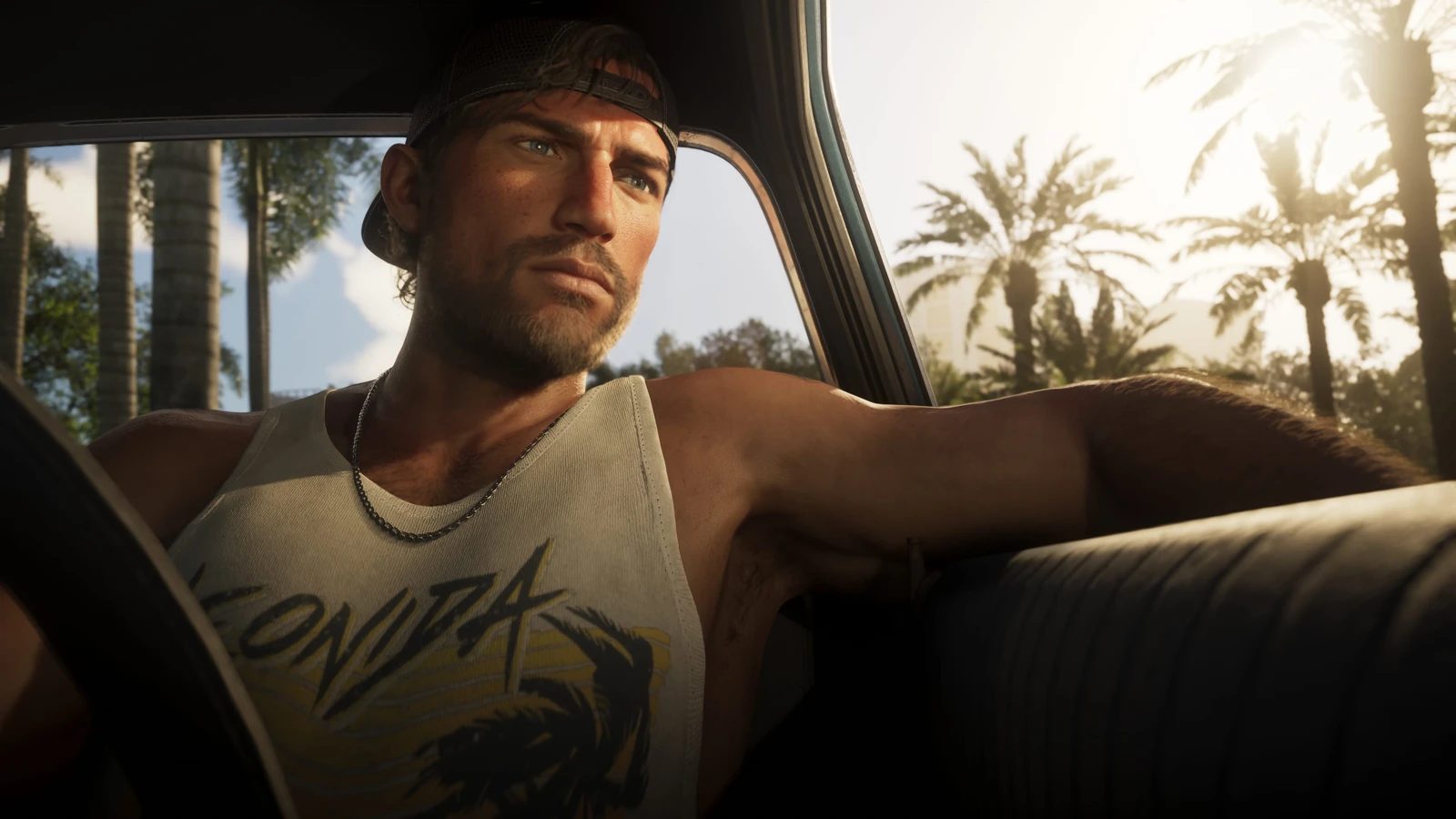
The three built-in first-person views
These are real features, not glitches — they work on both PS5 and Xbox Series X|S, and every outlet that has tested the camera agrees on them. (Reported by KeenGamer and Insider Gaming)
1. Inspect view — looking around while standing still. Stop moving, then hold L2 (LT on Xbox) and press R3 (click the right stick). The camera drops into Jason's or Lucia's eyes and the right stick looks around freely — good for reading signs, checking details, or just taking in Vice City. The moment you move the left stick, the view ends and the normal camera returns. One caution from KeenGamer: if R3 alone does nothing, keep holding L2 and click L3 and R3 together — but never press L3 + R3 without holding L2 first, because that combination triggers Focus Mode and drains your focus meter instead.
2. Scoped aiming. Fit an Optic attachment to a weapon — they are sold at any Ammu-Nation — then hold L2 (LT) to aim and press R3 to drop into a true first-person sight picture. This is the precision-aiming view, and it is the closest thing to first-person gunplay the game officially offers.
3. Driving with your phone out. Behind the wheel, press Up on the D-pad to raise your phone and the camera moves to a first-person view behind it. It is really a phone view, not a driving mode — but it is a first-person look at the road, and it is also the starting point for the glitch below.
What you do not get: a first-person camera while walking, running or playing missions, and no field-of-view slider for normal gameplay. KeenGamer reports the only FOV slider in the game is in Photo Mode, for screenshots, topping out at 48.5 degrees. (Reported)
The glitch: full first person (Reported — not a feature)
Within a day of launch, players found a camera glitch that holds the first-person view while you walk, drive and use weapons — the full mode Rockstar did not ship. It was discovered by the YouTuber 'oneboyler' (with 'OrangeGuy' also credited) and has been written up by VGC, Dexerto and IndiaTimes with matching steps, which is why we are comfortable describing it. It is still a glitch: it is undocumented, the timing is fiddly, and Rockstar can patch it at any time. (Reported by VGC, Dexerto and IndiaTimes, checked 22 November 2026)
Set up (once): open Settings → Controller and change the Touch Pad Button on PS5 (the View/Back Button on Xbox) from Map to Camera. You can still open the map from the pause menu.
Then, each time:
1. Get into a vehicle and sit in the driver's seat.
2. Press Up on the D-pad to bring out the phone.
3. Put the phone away with Circle (B on Xbox) and — in the first frame or two as it closes — mash the remapped Camera button.
4. Repeat steps 2–3 until the camera stays in first person after the phone is gone. Expect several attempts; the timing window is one or two frames.
5. Get out of the vehicle — the view stays, and you can explore on foot in first person.
Read this before you try it
- There is no way back except reloading a save. Once the glitch holds, no button restores third person — you reload a previous save and lose everything since it. Dexerto explicitly advises against playing missions in this view for exactly that reason. Save manually first — our how to save in GTA 6 guide has the steps and the slot system.
- Some menus break it. VGC reports that menus which change the camera — buying from a shop menu at Ammu-Nation, or a garage — can end the view, after which the reload rule above applies anyway.
- It is a glitch, not a mode. Animations can look unfinished, it was never intended by Rockstar, and a future patch may remove it. Nothing here is labelled Confirmed because none of it is official.
- Will Rockstar add a real first-person mode later? Not announced. GTA 5's first-person mode arrived with its PS4/Xbox One re-release, which gives fans a reason to hope — but as of 22 November 2026 Rockstar has said nothing about one for GTA 6, and no cheat among the 61 cheats unlocks a first-person camera either.
FAQ
Does GTA 6 have a first-person mode?
No. GTA 6 launched on 19 November 2026 with no first-person mode and no menu option for one, and Rockstar has not announced one for a future update. What the game does have is three limited first-person views — an inspect view while standing still, scoped-weapon aiming, and a phone view while driving — plus a player-discovered glitch that holds the full first-person camera.
How do you look around in first person in GTA 6?
Stand still, hold L2 on PS5 (LT on Xbox) and press R3 (click the right stick). The camera drops into your character's eyes and the right stick looks around. Moving the left stick ends the view and returns to third person.
How do you get the full first-person glitch in GTA 6?
Remap the Touch Pad Button (PS5) or View Button (Xbox) from Map to Camera in Settings, sit in a vehicle, open the phone with D-pad Up, then close it with Circle/B while mashing the remapped button. Repeat until the camera sticks in first person. Warning: there is no normal way back — only reloading a save restores third person, so save manually first.
Getting your camera and controls set up? See our GTA 6 controls guide for what else moved, and our best settings for the display options that matter at 30 fps. Back to the GTA 6 Starter home page.